
How to fix volume issues on Outcast

How to fix volume issues on Outcast
Good evening all,
Below is a very quick and easy guide on How to fix volume issues on Outcast. Please note, that this guide will work on all apps not just Outcast.
Sometimes users experience issues with the volume, where either the volume won’t turn up or down, or if the volume just doesn’t work at all. If you do ever experience issues with the volume, there is an easy fix, that literally takes seconds, which i will show below:
For this step by step guide, i will be using the Outcast Expel app. But the same applies for Elvision, and the others too.
The first thing you need to do, is head to the app settings in the bottom right. (As shown below)

Once in the settings, click on ‘Other Settings’ (As shown in the image below)
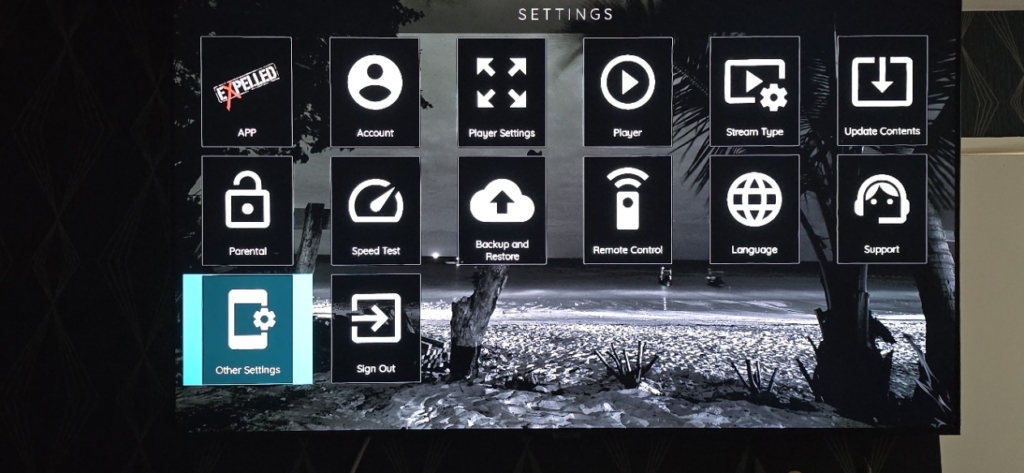
Once you are in the ‘Other Settings’ scroll down and click the ‘Reset Volume’ option. (As shown below)
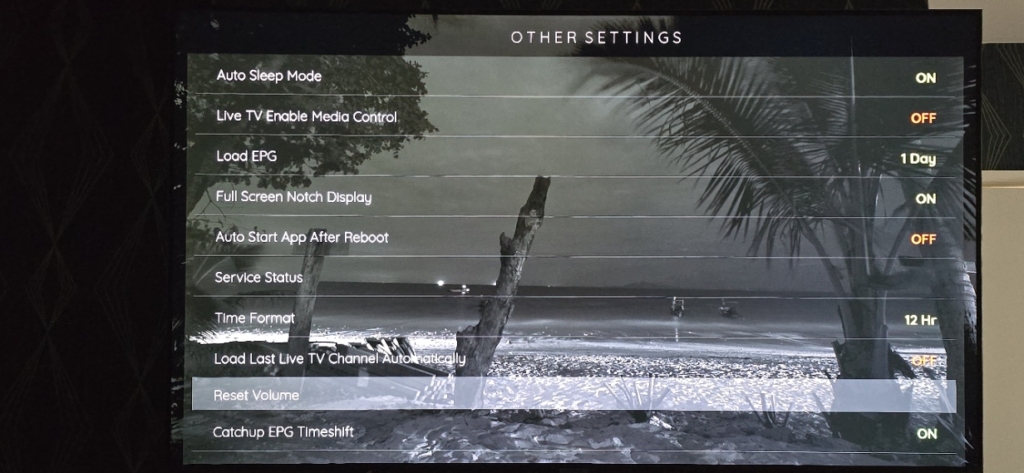
Once you click on the ‘Reset Volume’ option, a message will pop up to say: ‘Volume has been reset’ (As shown below)
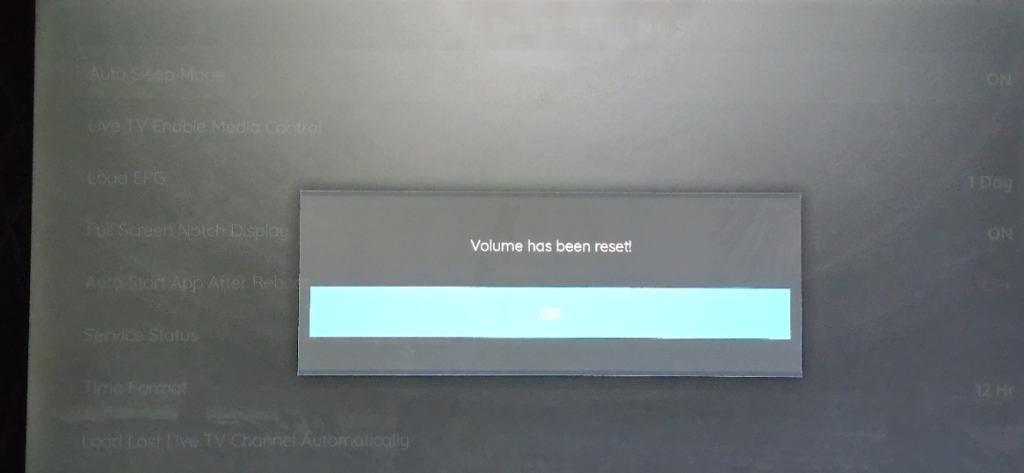
That’s it!.. Any issues that you had with the volume will now be fixed.
We hope this guide has helped you out.
To check out more easy to follow Outcast step by step guides Click This> Outcast Step by Step Guides
 Google