
How to set players on Outcast to EXO

How to set players on Outcast to EXO:
It is extremely important on Outcast, and other apps, that you set the players to EXO player. This will keep your Live TV, Movies, and Series running smoothly. Below I will show you how to quickly set the players to EXO Player.
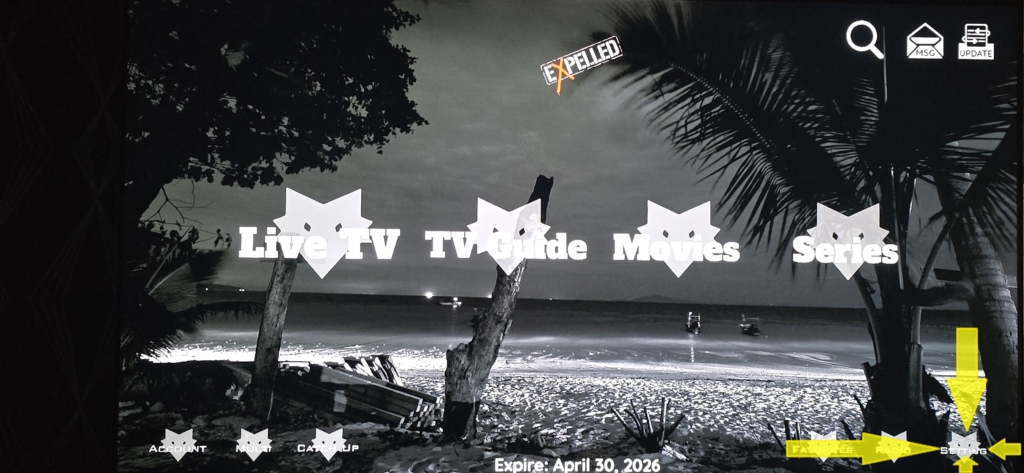
First of all, you will need to click on the ‘settings‘ icon in the Outcast or Elvision app. (As shown below)
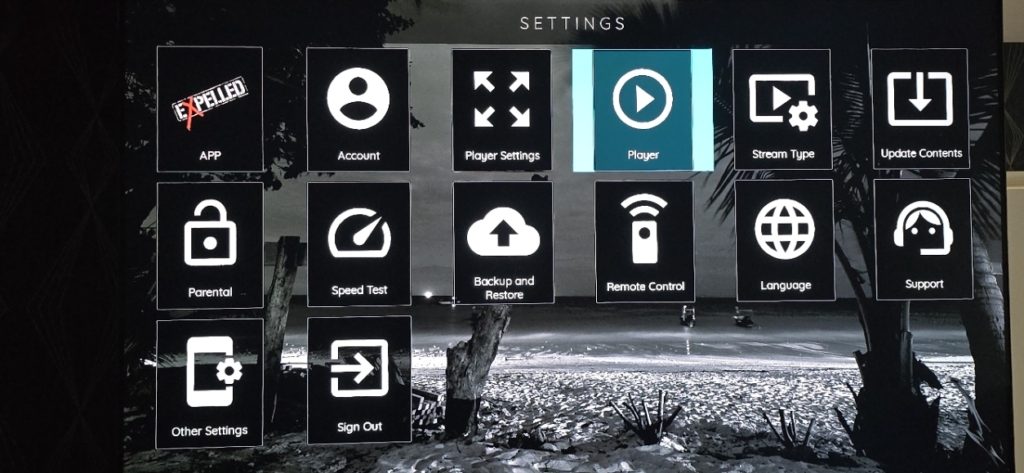
Once you have opened ‘Settings‘ you will need to click on the ‘Player‘ option. (As shown below)
Once you have clicked on the ‘Player’ icon, you will see an option to select either EXO Player or VLC player. (As shown below)
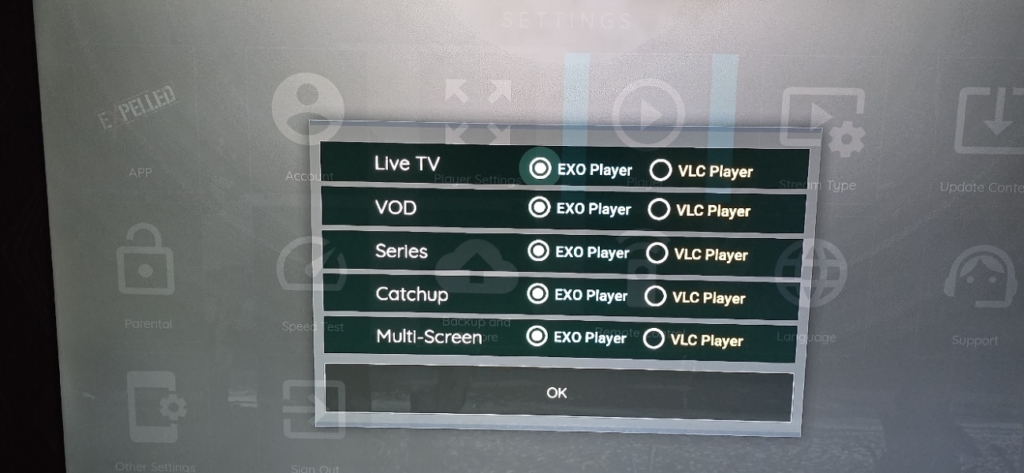
Make sure that you have selected ‘EXO Player’ on all options. As shown in the image above. This will prevent you experiencing issues on Live TV, aswel as Movies and TV Series.
And that’s it!..
It literally will take you seconds, and you only need to do it once.
If you would like to see our other step by step guides on Outcast and Elvision, then please click here
 Google