
How to watch PPV boxing on Outcast

How to watch PPV boxing on Outcast.
One of the biggest issues some people have when using Outcast, is when PPV boxing is on, Users sometimes struggle to find exactly where to watch the PPV Boxing. Here we will show you How to watch PPV boxing on Outcast VIP Boxing in seconds…
It’s always best to first of all ‘Update’ the Live TV, as most of the time, PPV Boxing is only added just before the event starts. So lets get your TV Guide updated first..
(1) To update the Live TV, simply click on the ‘Update’ icon in the top right. (As shown in step 1 on the image below)
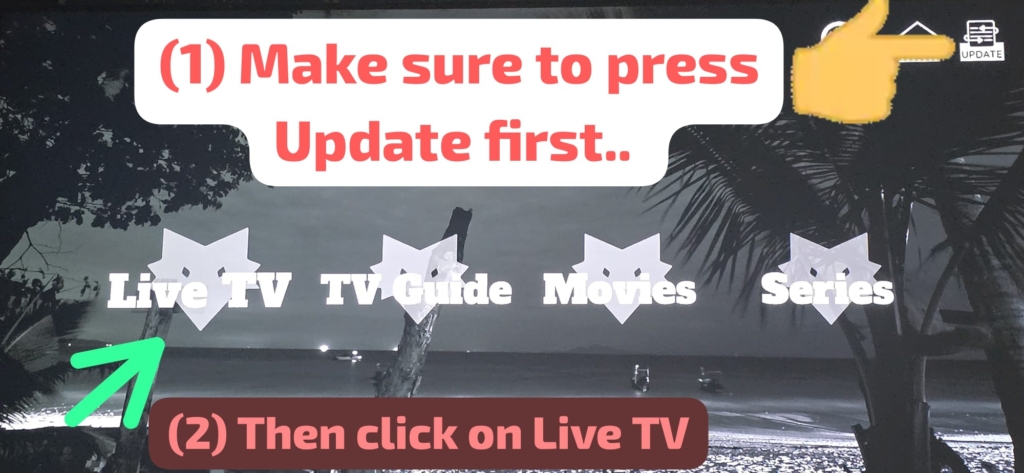
Once that is done, click on the ‘Live TV’ option. (As shown as step 2 in the image above) Once you click on Live TV, you will see the Live TV section. (As shown in the image below)
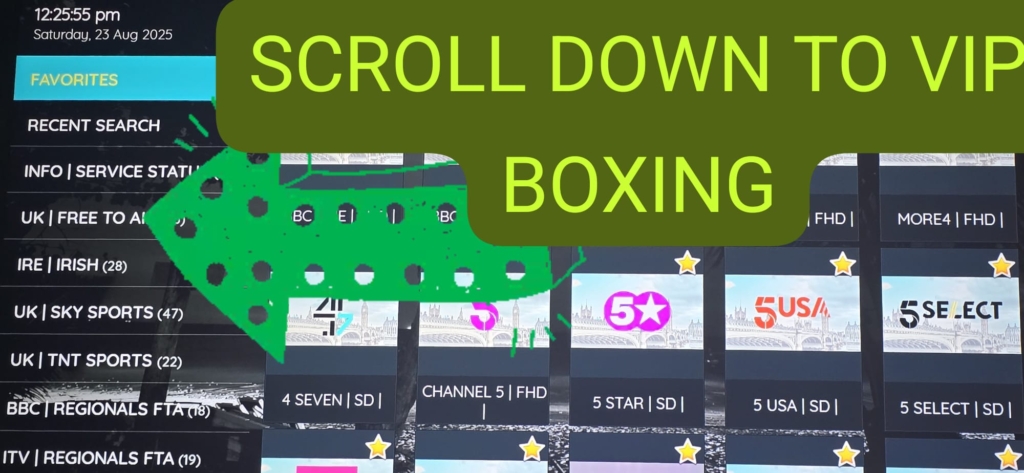
On the left hand side you will see categories like UK FREE TO ALL, UK SKY SPORTS and so on, like shown in the image above… Scroll down them categories, until you find: VIP BOXING. (As shown below) then click on VIP Boxing.
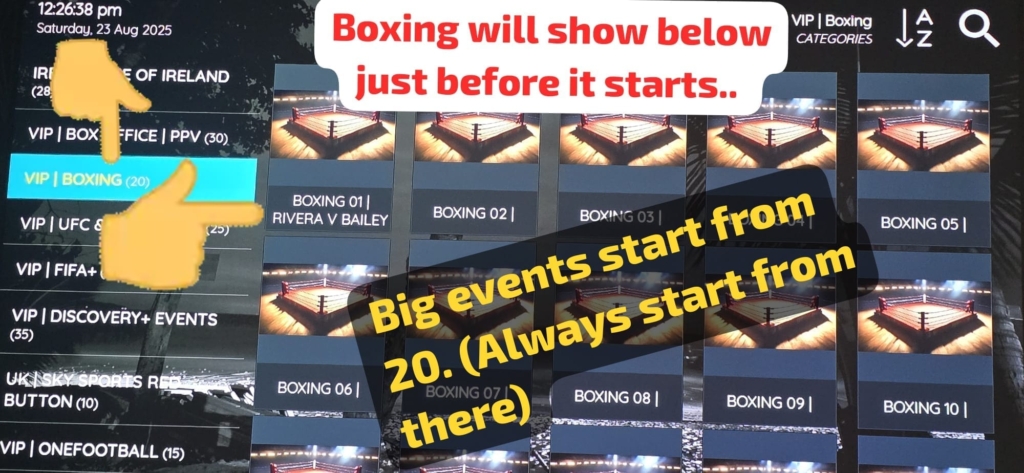
You will now see the list of available PPV Boxing. ALWAYS remember to try the lower numbers first, we strongly recommend using number 20, and working your way down. Everyone clicks on the first ones like Boxing 1,2,3,4.. It is always best to try number 20, as these i always find the most reliable.
I hope this guide has helped you to find what you’re looking for. Don’t forget to check out our step by step guides page for users of Outcast. From how to install Outcast, to clearing cache, fixing buffering, and so much more.
Click on the image below to check out the brand new Outcast guide section:

#Outcast How to watch PPV boxing on Outcast VIP Boxing
 Google